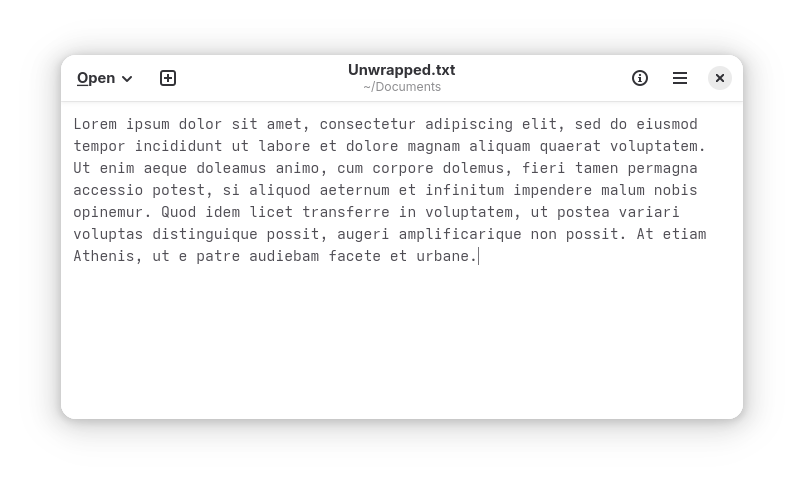
Since before computers existed, text has been the primary medium through which computer users have communicated. It's been in use far longer than anyone has been alive, and its lengthy history has allowed it to become battle tested.
There is, however, one problem with the way we use text that I would like to discuss today.
Take a look at this:
Looks good, right?
See what happens when the window is made wide:
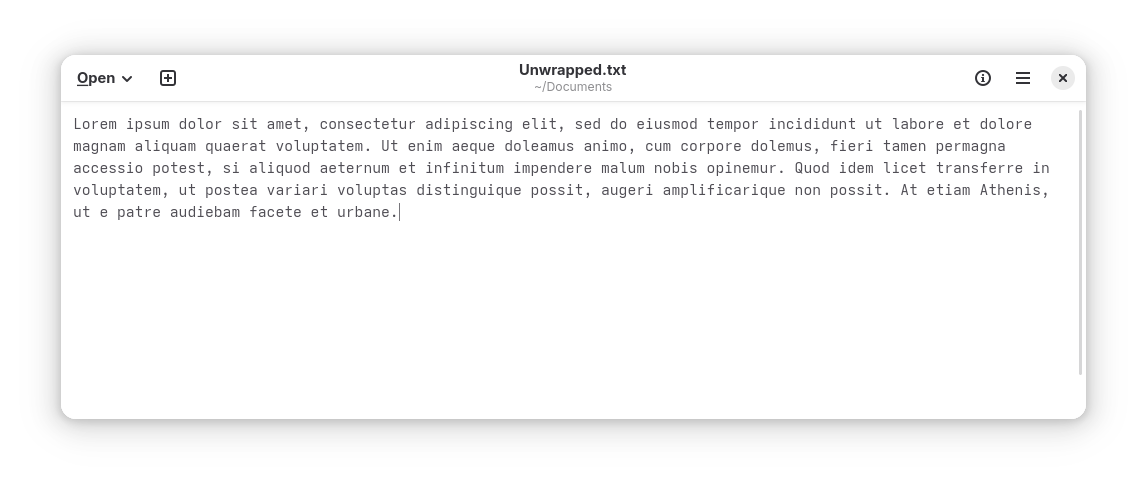
(If the text is too small to read, try opening it in a new tab!)
Long lines of text are hard to read. No debate, no nuance. Your eyes cannot easily scan to the start of the next line of text if they have lost sight of where the previous one began. That's why newspapers, books, magazines, brochures, and high-quality websites wrap their text very aggressively.
Yet, in the wisdom of the many techies that have come before me, there is a simple ubiquitous solution to long lines inside text files: wrapping each line by hand, by manually inserting line breaks with the Return (or "Enter") key. Let's limit lines to 80 characters each, which is the de facto standard that has been agreed upon for ages:
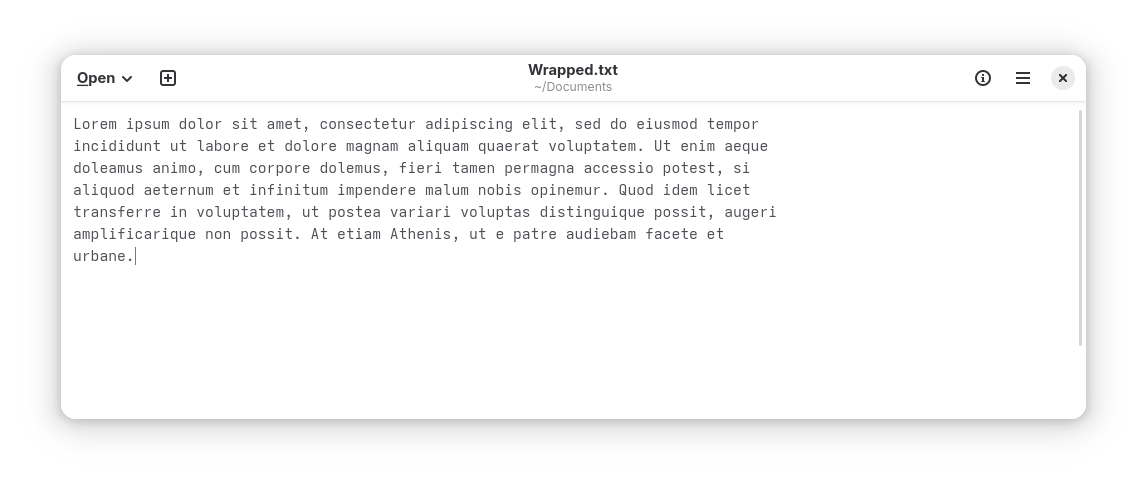
Brilliant!
Now, this file will look good no matter how much screen space the user has, right?
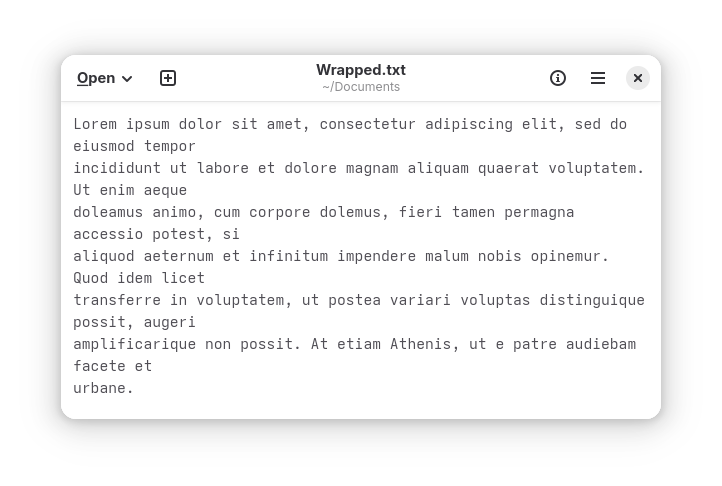
Without adequate space, the text editor has soft-wrapped long lines while still keeping hard line breaks.
Naysayers in the audience may be tempted to tell me that users should simply use larger screens.
What about phone users? What about users with impaired vision, who often use larger text? What's that? I can't hear you yelling at your screen.
Leaving aside for a moment the intellectual debate of whether text should be readable by everyone regardless of which device it's displayed on, let's try searching this text for the phrase "si aliquod", which appears halfway.
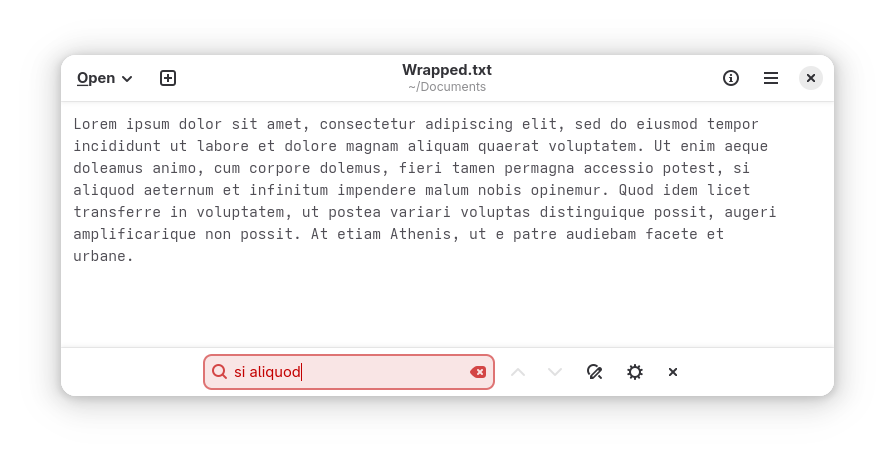
By modifying the underlying text this way, it has broken a key feature in any text editor or text reader: the ability to search.
You might be tempted to yell out "regex!" but I think regex in this context is a hack. In fact, I suspect that regex was introduced partially to cope with hard wrapping, before programmers learned that computers could typeset to their own displays. More importantly, I also think text should be searchable by everyone as opposed to only those who took computer science classes.
It gets worse, though. Let's open this same text in another editor.
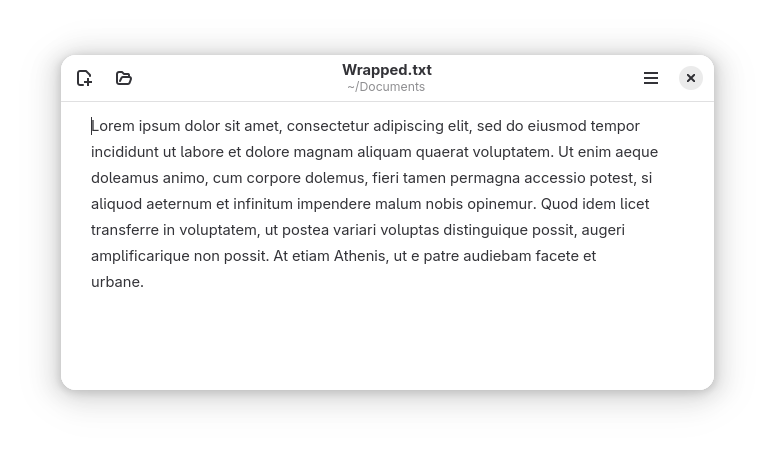
What does hand-wrapping text at 80 characters even mean, now that computers can display text with variable-width character fonts? Unfortunately, many would rather continue LARPing the 80s and pretend all text is written and displayed using monospace fonts.
Shrink the width of the window and the same problem presents itself:
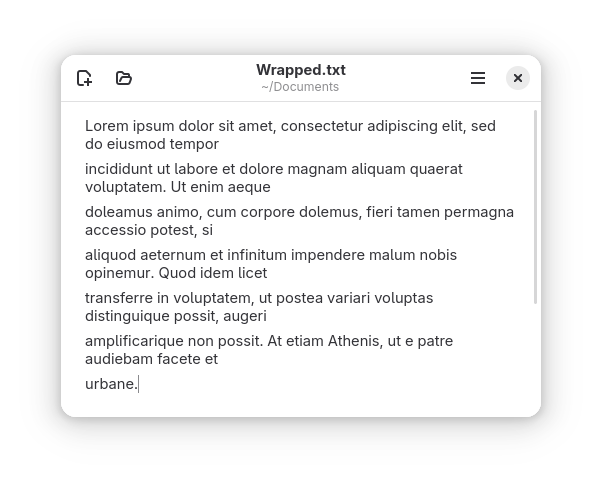
This editor, not bound by a requirement for every line to be the same height, adds spacing between paragraphs. The result is a very obvious distinction between lines which have been wrapped automatically, and those which have been wrapped by hand. This distinction on its own doesn't hurt necessarily the text, as it makes it easier to infer which type of wrapping is done where. It doesn't change the fact that the text is still difficult to read, though.
What would happen if I needed to delete a portion of a sentence, or amend another? The lines would have different lengths, and the existing manual wrapping would further get in the way of the text editor's built-in automatic wrapping.
Let's just unwrap this atrocity.
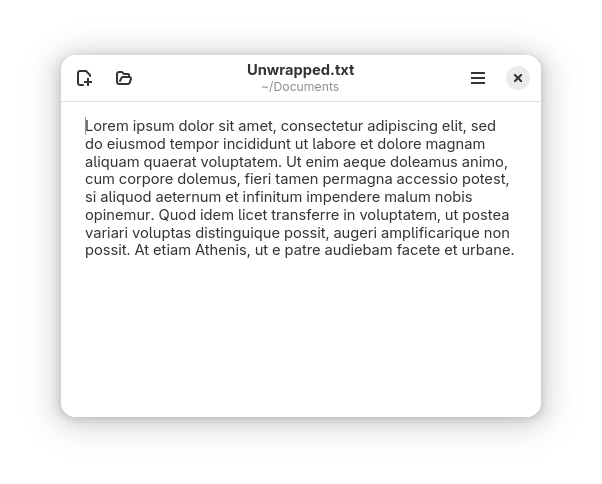
Here's what happens when I try to search now:
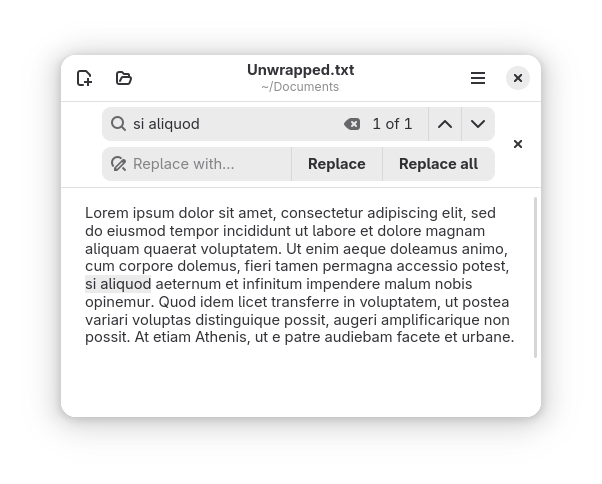
It just works—no fuss! No hacks like regular expressions, either.
But do you remember what started this rabbit hole in the first place? Text becomes unreadable if the lines are too long! Could there be an alternative to manual wrapping that solves this problem?
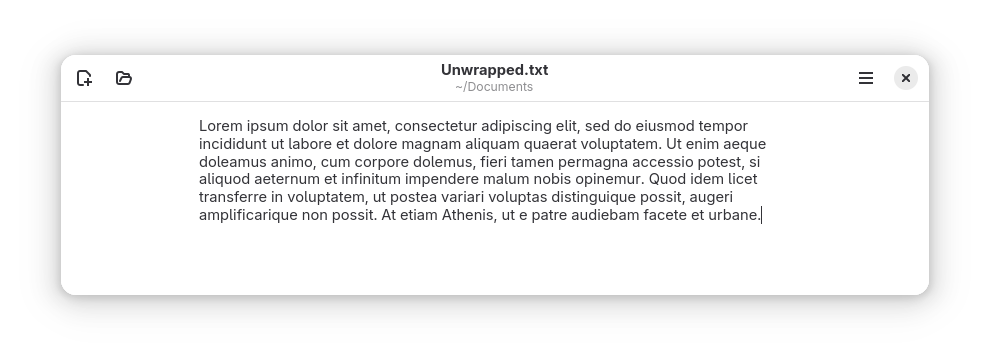
Nothing is stopping text editors from automatically wrapping long lines, except for the mistaken belief that we as a society must continue to enter text for punch cards.
Wrapping lines for clarity and to fit the medium where text is being shown is typesetting 101-level stuff, but it's a lesson that seems to have been unlearned once programmers started communicating directly to one another.
My plea to you, dear reader, is to stop hand-wrapping your text. Stop letting your editor automatically insert hard breaks, too!
Computers are capable of ensuring that text is laid out in a reasonable way so long as text is formatted correctly. I hope one day we may stop sabotaging the medium we use to express our thoughts.